
What is a Campaign in Salesforce? (Definition, Features, and Real-Life Uses)
Quick Answer: What Is a Campaign in Salesforce?
A Salesforce Campaign is a standard object designed to track marketing, fundraising, or outreach initiatives and measure their impact on Leads, Contacts, and Opportunities. Think of it as the central hub where you connect your marketing efforts to actual business results.
A campaign record acts as a container for a specific initiative. This could be something like “Spring 2025 Product Launch – Email Series” for a software company or “2025 Annual Gala Fundraiser” for a nonprofit organization. The campaign holds everything together in one place.
Campaigns store three critical pieces of information:
- Who was targeted (your audience of leads and contacts)
- How they engaged (tracked through campaign members and their member status)
- What revenue or donations resulted (via Opportunities and campaign influence)
Salesforce campaigns work equally well for commercial organizations focused on lead generation and pipeline building, and for nonprofits tracking events, appeals, and advocacy programs.
In the sections ahead, we’ll cover how campaigns work under the hood, how to structure campaign hierarchies, common use cases like email blasts, events, and webinars, step-by-step setup instructions, and best practices that keep your data clean and reportable.
What Is a Campaign in Salesforce? (Core Concepts)
A Salesforce Campaign is a standard object used to plan, execute, and measure coordinated marketing or fundraising efforts. It’s where you bring together your audience, your activities, and your results in a single, trackable record.
Concrete examples help illustrate this. A B2B software company might create a campaign named “Q2 2025 EMEA Webinar Series” to track registrations and resulting deals. A retail brand could launch “Fall 2025 Back-to-School Promo” to measure email engagement and sales lift. A nonprofit might build a “2025 Giving Tuesday Appeal” campaign to connect donor outreach with actual donations received.
Here’s the key data a campaign record holds:
- Name: A descriptive identifier like “2025 Q3 Product Launch – North America”
- Type: The channel or format (Email, Webinar, Event, Direct Mail, Tradeshow, etc.)
- Start and End Dates: When the initiative runs
- Expected vs. Actual Cost: Budget planning and spend tracking
- Expected vs. Actual Revenue: Projections versus real outcomes
- Owner: The person responsible for the campaign
Campaigns group leads and contacts (as well as Person Accounts) as campaign members. This allows Salesforce to track who was invited, who responded, and how they engaged with your initiative.
The real power emerges when you connect marketing activity to Opportunities. The primary campaign source field links a deal or donation directly to the campaign that generated it. For more complex buyer journeys, campaign influence models let you attribute revenue across multiple touchpoints.

How Do Campaigns Work in Salesforce?
The lifecycle of a campaign in Salesforce follows a predictable pattern: plan the initiative, define your target audience, run the activity, track engagement, attribute revenue, and report on results. This flow transforms scattered marketing activities into measurable business outcomes.
Campaign members are the join records that link individual leads and contacts to a campaign. Each member record stores the member status values Sent, Opened, Clicked, Registered, Attended, and Donated. These statuses capture the progression of engagement throughout the initiative.
Campaign metrics accumulate as the initiative runs. You’ll see the number of members, responses, Opportunities created, pipeline generated, and revenue won summarized directly on the campaign record. For a 2025 webinar, this might show 500 members invited, 150 registered, 85 attended live, and 12 Opportunities worth $340,000 in pipeline.
Marketers and fundraisers typically analyse these numbers through Salesforce reports and dashboards filtered by campaign or campaign hierarchy. This reveals cost per lead, return on investment, and which tactics actually move the needle. A nonprofit running a 2025 annual gala can see exactly how much revenue came from each ticket tier and sponsorship level.
Campaigns, Opportunities, and Revenue Tracking
Opportunities represent the deals or donations that flow from your marketing initiatives. An Opportunity like “ACME Corp – 2025 Expansion Deal” or “2025 Gala – Gold Sponsorship – $15,000” can be linked directly to a campaign using the primary campaign source field.
When you set the primary campaign source, Salesforce attributes 100% of that Opportunity’s revenue to a single campaign. This enables straightforward ROI reporting. If your “2025 Q3 Product Launch” campaign had a $20,000 budget and generated a $100,000 closed-won Opportunity in October 2025, your return is immediately visible.
Campaign influence takes this further by allowing multiple campaigns to share credit for one Opportunity. Consider a prospect who attended a January webinar, received a May email nurture sequence, and finally converted after a July event. With campaign influence, all three touchpoints get partial credit for the resulting revenue.
For nonprofits using NPSP (Nonprofit Success Pack), Opportunities often represent donations, event ticket purchases, or pledge payments. These can automatically associate back to the relevant campaign, so your “2025 Spring Appeal – Direct Mail” campaign shows exactly how much revenue each outreach effort generated.
Campaign Members and Member Status
A campaign member is the specific record that connects a Lead, Contact, or Person Account to a campaign. Each member record stores that person’s status within the initiative, their journey from first touch to final outcome.
Salesforce provides default statuses like Sent and Responded, but these rarely capture the nuance you need. Instead, create custom statuses tailored to your campaign type:
| Campaign Type | Recommended Member Status Values |
|---|---|
| Email Send | Not Sent, Sent, Opened, Clicked, Unsubscribed |
| Webinar | Invited, Registered, Attended Live, Watched Recording, No Show |
| Tradeshow | Invited, Visited Booth, Demo Requested, Meeting Scheduled |
| Fundraising Appeal | Sent, Opened, Donated, Declined |
Member status drives your response and conversion metrics. When you filter for “Attended” members, you’re pulling people who actually showed up. This powers automated workflows, too, like sending a follow-up email to everyone marked as No Show after your April 2025 webinar.
For integrated tools like Account Engagement (Pardot), Marketing Cloud, or event platforms like GoToWebinar, member status can update automatically based on real-time behavior. Someone registers through your landing page, and their status flips from Invited to Registered without manual intervention.
Consistent status naming across your 2024-2025 campaigns dramatically improves reporting clarity. When every webinar uses the same statuses, comparing performance across events becomes trivial.
Campaign Hierarchies and Parent/Child Campaigns
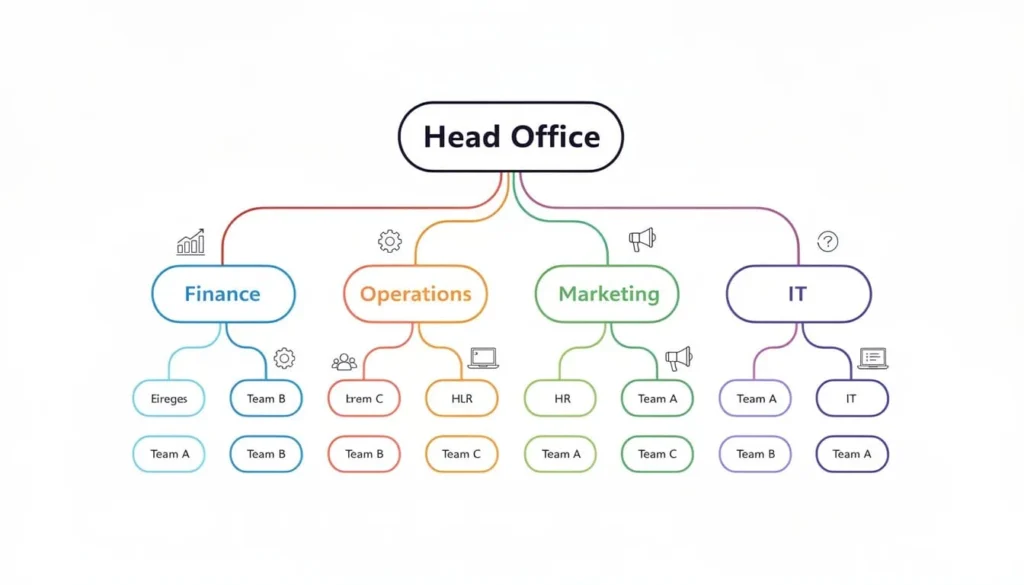
Campaign hierarchies let you organize related efforts under a parent campaign. Imagine a “2025 Global Product Launch” as the parent, with child campaigns for “US Launch Webinar,” “EMEA Launch Webinar,” and “APAC Email Series” nested beneath it.
The parent campaign field on each child creates this relationship. Once connected, child campaigns roll up their metrics into “In Hierarchy” fields on the parent. You can view total members, total responses, total pipeline, and total revenue across the entire initiative without manually entering numbers.
This structure is powerful for comparing tactics side by side. Which region’s 2025 event drove more Opportunities? Which channel, email or webinar, generated the highest response rate? The hierarchy gives you both the detailed view and the aggregate picture.
Here’s how campaign hierarchy works in practice for a 2025 initiative:
| Level | Campaign Name | Role |
|---|---|---|
| Parent | 2025 Global Product Launch | Aggregates all metrics |
| Child | US Launch Webinar – March 2025 | Individual tactic |
| Child | EMEA Launch Webinar – April 2025 | Individual tactic |
| Child | APAC Email Series – Q2 2025 | Individual tactic |
A word of caution: restructuring hierarchies after launch can be complex. Historical roll-ups and reports may shift unexpectedly. Before major 2025 initiatives begin, agree on naming conventions, hierarchy levels (Year → Program → Tactic), and parent relationships. This planning prevents headaches later.
Key Salesforce Campaign Features You Should Know
Salesforce campaigns include several standard features that affect visibility, reporting, and automation. Understanding these options helps you configure campaigns that serve your marketing team’s actual needs.
The core configuration areas include the Active checkbox, custom fields, record types, and calendar views. Each impacts how Salesforce users interact with campaign data day to day. Advanced features like connected campaigns (with Account Engagement) and custom campaign influence models build on this foundation.
Let’s walk through what matters most for 2024-2025 campaign planning and analysis.
The “Active” Checkbox and Archiving Campaigns
The Active checkbox on a campaign controls whether it appears in lookup fields and whether it’s included in many standard influence and member-add flows. When you’re creating an Opportunity and selecting the primary campaign source, only active campaigns show in the dropdown.
Unchecking Active effectively archives a campaign like “2019 Holiday Promotion.” The historical data stays intact, but the record no longer clutters current user searches. Your Salesforce admin can still access it, and all existing Opportunities and campaign members remain linked.
Teams should define a consistent archiving rule. Common approaches include:
- Mark campaigns inactive 90 days after the last related Opportunity closes
- Archive all campaigns from the prior fiscal year each January
- Set campaigns inactive once Status changes to Completed and no further members will be added
Even inactive campaigns remain fully reportable. This means 5+ years of marketing or fundraising history (2020-2025) can still power your analysis dashboards without overwhelming day-to-day users searching for current initiatives.
Custom Fields, Record Types, and Page Layouts
Salesforce admins can add custom fields to campaigns to improve filtering and dashboard capabilities. Common additions include:
Target Industry
Product Line
Region (NA, EMEA, APAC)
Fiscal Year
Campaign Level (Awareness, Consideration, Decision)
Record types separate structurally different campaigns. An “Email Campaign” record type might have fields for email tool and send count, while an “Event Campaign” record type shows venue, capacity, and catering vendor. A “Nonprofit Fundraising Campaign” might include fields for appeal code and target donation amount.
Consider a 2025 “Partner Co-Marketing Webinar” versus a 2025 “Trade Show” campaign. The webinar needs fields for partner company name and co-branding requirements. The trade show needs booth number, sponsor tier, and shipping deadline. Different record types with tailored page layouts keep each experience focused.
Watch out for field creep. Too many custom fields clutter the page layout and confuse users. Conduct quarterly reviews to prune fields that no longer appear in reports or automation. If nobody’s used the “Secondary Campaign Code” field in two years, it’s time to retire it.
Connected Campaigns and Engagement History (with Account Engagement)
Connected campaigns sync Account Engagement (formerly Pardot) assets, emails, forms, and landing pages with Salesforce campaigns. This makes the campaign record the single source of truth for both sales and marketing.
When enabled, Engagement History components on the campaign record display metrics like email opens, clicks, form submissions, and landing page views. For a 2024-2025 nurture program, you see which content pieces drive the most engagement without switching between platforms.
Before connected campaigns existed, marketers juggled “Pardot campaigns” and “Salesforce campaigns” as separate concepts. Connected campaigns eliminates this confusion by consolidating attribution and KPIs in one place.
Here’s a practical example: a 2025 “Customer Onboarding Nurture” program sends six emails over twelve weeks. Each email maps to a child campaign under the parent nurture campaign. Engagement History shows that Email 3 (featuring a product tips video) has double the click rate of other sends. Now you know what content resonates and can replicate it in similar campaigns.
Common Use Cases for Salesforce Campaigns (With Examples)
Salesforce campaigns are flexible enough to support digital marketing, sales development, customer events, and nonprofit programs, often within the same org. The campaign object adapts to nearly any initiative where you need to track audience, engagement, and outcomes.
The major use-case categories include:
- Outbound email and digital campaigns
Webinars and in-person events
Ongoing nurture programs
Sales development outreach
Nonprofit fundraising and program tracking
Each example below connects back to core concepts: campaign members, member status, Opportunities, and hierarchies. Seeing how they work in real scenarios makes the principles concrete.
Email Blasts and One-Off Promotions
A single promotional email can be tracked as a campaign with members representing your send list. For example, “March 2025 Flash Discount for US Customers” captures everyone who received the offer and how they responded.
Set up member status values that match your email workflow:
| Status | Meaning |
|---|---|
| Not Sent | On list but excluded from send |
| Sent | Email delivered |
| Opened | Opened the email |
| Clicked | Clicked a link |
| Converted | Became an Opportunity |
The campaign tracks short-term spikes in leads and Opportunity creation immediately after the send date. If your March 2025 promo email reaches 5,000 contacts and produces 100 new leads, 20 Opportunities, and $50,000 in closed-won revenue within the quarter, you have a clear picture of ROI.
Practical tip: align your email tool’s tracking links with the Salesforce campaign directly. When Account Engagement or Marketing Cloud knows which campaign owns the email, member status updates automatically and attribution stays accurate.
Ongoing Nurture Campaigns
Multi-step nurture programs work best with a parent campaign containing child campaigns for each email or content theme. A “12-Week New Customer Education Series – 2025” parent might have children like “Week 1 – Welcome Email,” “Week 4 – Product Tips,” and “Week 8 – Success Story.”
Using consistent member status values (Not Sent, Sent, Clicked, Engaged) across all nurture child campaigns simplifies reporting over several months. You can compare performance of early-stage content against late-stage content using the campaign hierarchy roll-up metrics.
A 2025 nurture series might gradually move prospects from top-of-funnel content (guides and checklists) to bottom-of-funnel content (product demos and ROI calculators). Tracking which child campaign generates the most Opportunity creation reveals where prospects tip from interested to ready-to-buy.
Unlike one-off emails, nurture campaigns influence Opportunities over longer time horizons. A prospect might enter your nurture in January 2025 and not become an Opportunity until June. Campaign influence attribution captures this extended journey.
Webinars and Events (Virtual or In-Person)
Events deserve their own campaign with detailed member status tracking. For an “April 10, 2025 – Product Roadmap Webinar,” you might use:
| Status | Meaning |
|---|---|
| Invited | Received invitation |
| Registered | Signed up |
| Attended Live | Joined the live session |
| Watched Recording | Viewed on-demand |
| No Show | Registered but didn’t attend |
Event platforms like GoToWebinar, Zoom Webinars, and Hopin can sync registration and attendance data back to campaign members automatically. This eliminates manual status updates and ensures your metrics reflect reality.
Registration fees or sponsorships become Opportunities associated to the event campaign using the primary campaign source field. A $5,000 sponsorship for your April webinar links directly to that campaign, making revenue attribution clean.
A parent “2025 Q2 Events” campaign could roll up metrics from multiple events, a webinar, a virtual summit, and an in-person workshop, to evaluate which event type produces the most pipeline. Add custom fields for logistics like event location, venue, time zone, and max capacity to keep everything organized.

Sales Development and Outbound Calling
Sales teams benefit from Salesforce campaigns just as much as marketers do. An SDR team running a “Q1 2025 Outbound Call Blitz – Manufacturing Accounts” campaign tracks targeted accounts and contacts in one place.
Suggested member status values for outbound calling:
| Status | Meaning |
|---|---|
| Not Contacted | On the list, not yet called |
| Attempted | Call made, no answer |
| Connected | Spoke with prospect |
| Qualified | Meets criteria, moving forward |
| Disqualified | Not a fit |
Opportunities created from successful conversations link back to the calling campaign. This measures outbound effectiveness in terms of pipeline and revenue generated, not just activities completed.
List views and campaign members reports help SDRs prioritize follow-up and avoid duplicate outreach within the same initiative. When everyone works from the same campaign membership, coordination improves.
Nonprofit Fundraising, Appeals, and Programs
Nonprofits leverage campaigns to track appeals, events, and programs. Examples include “2025 Spring Appeal – Direct Mail,” “2025 Annual Gala,” and “2025 Training Workshop Series.”
Organizations using NPSP (Nonprofit Success Pack) often use campaigns to group donations (Opportunities) and participants (Leads/Contacts) for each appeal or event. Campaign member status distinguishes between Invited, RSVP’d, Attended, and Donated.
Related donation Opportunities roll up to show total funds raised per campaign or per hierarchy. The “2025 Annual Gala” campaign might show:
500 invitations sent
200 RSVPs received
- 175 attendees
- $87,000 in donations and ticket sales
Program registration works similarly. A “2025 Financial Literacy Program” parent campaign contains child campaigns for each session. Tracking attendance across sessions reveals which workshops draw the most participants and where drop-off occurs.
For grant reporting and board dashboards, campaigns provide the data foundation. Showing results across 2022-2025 fundraising campaigns demonstrates impact over time and supports funding requests.
How to Create and Configure a Campaign in Salesforce
This section focuses on practical setup: who can create campaigns, where to go in the UI, and what fields to complete. We’ll walk through creating a campaign for a “July 2025 Summer Promotion” as our example.
Strong naming conventions make reporting easier later. Include year, region, and channel in your campaign name:
- ✓ “2025-07 – NA – Email – Summer Promo”
- ✓ “FY25 – Events – EMEA – Customer Summit”
- ✗ “Summer Promo” (too vague)
At minimum, complete these fields when creating a new Salesforce campaign:
- Type (Email, Event, Webinar, etc.)
- Status (Planned, In Progress, Completed)
- Start Date and End Date
- Expected Revenue
- Budgeted Cost
Let’s walk through the process.
Enable Marketing User and Permissions
To create campaigns, a user typically needs the marketing user checkbox enabled on their user record plus appropriate permissions to the campaign object. Without this checkbox, the New button on the campaigns tab won’t appear.
A system administrator can enable this by navigating to Setup → Users → selecting the relevant user (for example, a marketing manager joining in 2025) and checking the Marketing User box. This grants permission to create campaigns and manage campaign members.
Some orgs also control who can:
- Manage campaign influence settings
- Approve campaigns before launch
- Edit member status values
These permissions flow through profiles and permission sets. If you’re a marketer and can’t see the New button on the campaigns tab, ask your Salesforce admin to verify your permissions. It’s a common oversight when onboarding new team members.
Creating a New Campaign Record
Navigate to the campaigns tab in Salesforce Lightning Experience. Click New and select a Record Type if your org uses them (for example, Event Campaign or Email Campaign).
Enter the core details for your campaign. Here’s a worked example:
| Field | Value |
|---|---|
| Campaign Name | 2025 Q3 Product Launch Webinar – North America |
| Start Date | 2025-09-10 |
| End Date | 2025-09-30 |
| Type | Webinar |
| Status | Planned |
| Budgeted Cost | $8,000 |
| Expected Revenue | $60,000 |
If this campaign should roll up into a broader effort, set the parent campaign field. For our example, the parent might be “2025 Q3 Product Launch – Global.”
Toggle the Active checkbox to make the campaign available for new members and include it in lookups. Without this checked, users won’t be able to add records or find the campaign when linking Opportunities.

Adding Campaign Members
Several methods exist to add members to your campaign:
- From report results: Run a report of target leads or contacts, select records, and use “Add to Campaign” mass action
- From a list view: Select multiple records and click “Add to Campaign”
- From individual records: On a lead record or contact record, find the Campaign History related list and click Add
- Via data import: Use Data Loader or import wizard for large lists
- Through integrations: Account Engagement, Marketing Cloud, or third-party tools sync members automatically
Here’s a practical example: you run a report of “All leads created in June 2025 with Industry = Healthcare.” You select these 250 leads and add them to your “2025-07 – Healthcare Email Series” campaign. Salesforce creates campaign member records for each.
When adding members, you set a default member status. After sending your email, return to update statuses in bulk, changing Sent to Opened or Clicked based on engagement data from your email platform.
For organizations pursuing account-based marketing, Salesforce allows Accounts as campaign members. Add a target account, and all associated contacts targeted can be included automatically in your 2025 ABM initiatives.
Member management is ongoing throughout the campaign lifecycle. Expect to update statuses, add late registrants, and mark conversions as your initiative progresses.
Reporting on Salesforce Campaigns and Measuring ROI
Campaigns answer the questions leadership cares about most: “Which 2024-2025 initiatives created the most pipeline?” and “Which fundraising events raised the most net revenue?”
Salesforce campaign reports and dashboards summarize metrics like members, responses, Opportunities, pipeline, closed-won revenue, and ROI across time, segments, and hierarchies. These report types include:
Campaigns with Campaign Members
Campaigns with Opportunities
Campaign ROI Analysis
Custom report types can combine campaigns with financial or custom objects for specialized analysis. A nonprofit might create reports connecting campaigns to grant allocations or program outcomes.
Imagine marketing leadership reviewing a “Campaign Performance – FY2025” dashboard monthly. They see which channels generate pipeline most efficiently and can reallocate budget from underperforming tactics to high-performers mid-year.
Standard Campaign Reports and Dashboards
Common out-of-the-box reports include Campaigns with Leads, Campaigns with Contacts, Campaigns with Opportunities, and Campaign ROI Analysis. These run reports without custom configuration.
Group by fields like Type, Fiscal Period, or parent campaign to compare events versus emails versus paid media for your 2025 initiatives. A quick grouping reveals which campaign types deliver the best results.
Build calculated metrics using formula fields on the campaign object or within report formulas:
| Metric | Formula |
|---|---|
| Cost per Lead | Actual Cost / Number of Leads |
| Cost per Response | Actual Cost / Number of Responses |
| Revenue per Campaign | Total Value Won Opportunities |
| ROI | (Revenue – Cost) / Cost × 100 |
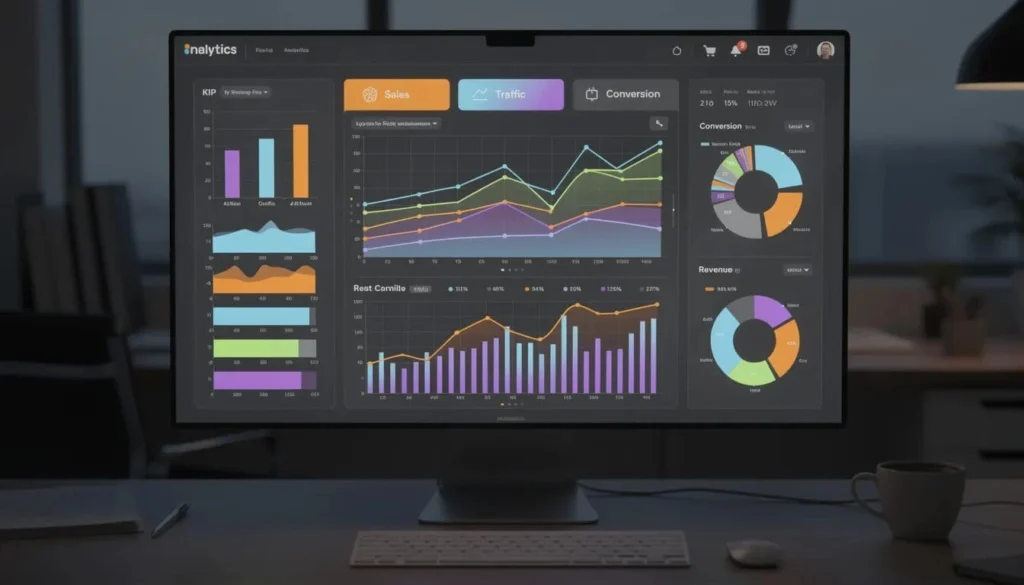
Dashboards visualize this data with charts showing pipeline by campaign type, top 10 campaigns by ROI, or donations by fundraising campaign for the last three years. These visuals help leadership decide which campaigns to repeat, scale, or retire in future planning cycles.
Campaign Influence and Attribution Models
Campaign influence spreads Opportunity revenue across multiple campaigns that touched the same buyer or donor over time. Instead of one campaign getting 100% credit, several campaigns share the attribution.
The default “Salesforce Model” attributes revenue to any campaign influencing an Opportunity within a defined time frame relative to Opportunity creation and close dates. The exact window depends on your configuration.
Organizations in 2024-2025 often define custom attribution models:
| Model | How It Works |
|---|---|
| First-Touch | 100% credit to first campaign that touched the buyer |
| Last-Touch | 100% credit to last campaign before Opportunity creation |
| Even-Weighted | Equal credit to all influencing campaigns |
| Time-Decay | More credit to recent campaigns, less to older ones |
Here’s a concrete example: a $50,000 Opportunity created in August 2025 was influenced by a January webinar, a May email nurture, and a July event. With even-weighted attribution, each campaign receives $16,667 in influenced revenue.
Treat campaign influence as an advanced feature. Pilot it with clear rules and stakeholder agreement before rolling out widely. Different attribution models tell different stories. Make sure your marketing team and sales leadership align on which story makes sense for your business.
Best Practices for Managing Salesforce Campaigns
These practical habits keep campaign data clean, reportable, and useful over multiple years. Whether you’re looking at 2022 historical data or planning 2025 initiatives, consistent practices prevent headaches.
Best-practice themes include:
Consistent naming standards: Everyone knows what “FY25 – Events – NA – Summit” means
Thoughtful hierarchy design: Parent-child relationships reflect how you analyze results
Standardized member status values: Same statuses across similar campaigns enable comparison
Periodic archiving: Inactive campaigns reduce clutter without losing data
Cross-team alignment: Marketing team, sales, and nonprofit teams agree on structure
Following these practices up front reduces rework when leadership requests cross-year ROI or fundraising performance analysis. It’s much easier to build the foundation correctly than to retrofit inconsistent data.
Design Your Campaign Hierarchy and Naming Conventions Early
Agree on a maximum number of hierarchy levels before major 2025 campaigns execute. A common structure is Year → Program → Tactic. More than three levels often creates confusion rather than clarity.
A naming pattern that includes fiscal year, channel, region, and description makes filtering straightforward:
✓ “FY25 – Events – NA – Customer Summit – Chicago”
✓ “FY25 – Email – Global – Product Launch Nurture”
✗ “Customer Event” (missing context)
Predictable names and parent-child relationships make it easier to run reports and avoid duplicate campaigns for the same initiative. When you search for “FY25 – Events,” every event from 2025 appears together.
Reclassification, moving a campaign under a different parent, should be done carefully. Historical roll-ups and reports may shift. Document your hierarchy structure and share it with marketing, sales, and nonprofit teams so everyone builds campaigns consistently.
Standardize Campaign Member Statuses
Create standard member status templates per campaign type or record type. A webinar always uses Invited, Registered, Attended, No Show. An email always uses Sent, Opened, Clicked. A fundraising event always uses RSVP’d, Attended, Donated.
Consistent statuses enable accurate cross-campaign comparison. If one webinar uses “Attended” and another uses “Showed Up,” your roll-up reports become meaningless. Standardisation also simplifies automation. Your follow-up flows work reliably when they can depend on predictable status values.
Establish a governance process where only Salesforce admins or marketing operations leads add or change official member status values. Starting in 2025, document any changes and communicate them to users so historical and new reports remain meaningful.
When someone requests a new status, ask whether it’s truly distinct from existing options. Often “Engaged” and “Interested” mean the same thing. Pick one and stick with it.
Keep Campaign Data Clean and Up to Date
Schedule periodic reviews quarterly, works well to ensure campaigns have:
Correct status values (Planned → In Progress → Completed)
Accurate actual costs entered
Finalized revenue or donation figures
Mark old campaigns inactive when they’re no longer receiving new members. Close out placeholder campaigns created but never used, particularly from past years like 2021-2022. These orphaned records clutter searches and confuse users.
If you find multiple campaigns with overlapping names or audiences, consider merging or deduplicating. Fragmented data weakens campaign performance analysis. A single “2025 Spring Webinar” campaign is better than three variations with partial data.
Document which reports and dashboards depend on specific campaign fields. Future Salesforce admins in 2026 and beyond need to know what not to remove. Clean campaign data is essential for trustworthy ROI and fundraising performance analysis.
Summary: Why Salesforce Campaigns Matter
A campaign in Salesforce is the central object for tracking who you targeted, how they responded, and the revenue or donations generated by your marketing campaigns. It connects the dots between activities and outcomes.
Core concepts campaign members, member status, Opportunities, hierarchies, and influence work together to show how day-to-day marketing activities drive pipeline and fundraising results. Whether you’re generating new leads for potential customers or tracking existing customers through renewal campaigns, the structure remains consistent.
Start with a simple structure for your 2025 campaigns. Apply the naming conventions, hierarchy design, and status standardization outlined above. As your team gains confidence, adopt more advanced features like connected campaigns with Account Engagement and custom campaign influence attribution models.
Well-managed Salesforce campaigns give leadership clear insight into which initiatives to expand, refine, or retire in future years. When your campaign data is complete and trustworthy, you can confidently answer “how much revenue did that webinar generate?” and make smarter decisions about where to invest next.